
If you have a newborn, you will eventually stand in the doorway of the nursery at 3am wondering whether you heard a breath. That moment is why movement monitoring baby monitors exist, and it is why the best movement monitoring baby monitors for newborns are worth researching carefully rather than buying on a brand name alone.
Here is the blunt version first. The Babysense True Sleep HD bundle is the one we would put in a cot, because it pairs a 5-inch HD camera with two non-contact under-mattress sensor pads and puts nothing on the baby’s body. If you want actual medical-grade numbers rather than a stillness alarm, the Owlet Dream Sock reads pulse and blood oxygen through the foot and alerts a base station. Everything else in this roundup fills a different, narrower need.
One thing to clear up before the list: no movement monitor reduces the risk of SIDS. There is no evidence for it, and The Lullaby Trust does not endorse consumer wearables as a way to prevent it. What a monitor does is alert you sooner when breathing becomes irregular or stops, which is a genuine early-warning tool and not the same thing as protection.
We spent the last several weeks reading specification sheets, comparing alert delivery paths and sifting through thousands of owner reviews across all ten products below. We also flagged, honestly, which devices in this roundup are not true movement monitors at all, so you do not spend money on a camera that cannot do the job you think you are buying it for. For broader context, our [general baby monitor testing guide](https://www.drunvalo.net/best-baby-monitors/) covers the wider category, and [our video monitor picks](https://www.drunvalo.net/best-video-baby-monitors/) go deeper on picture quality.
Table of Contents
Our Top 3 Best Movement Monitors for Newborns in 2026

Babysense True Sleep HD Bundle
- Two non-contact under-mattress pads
- 5-inch HD PTZ camera
- No WiFi
- Two-way audio

Owlet Dream Sock
- Pulse oximetry heart rate and oxygen
- Base station plus phone alerts
- 16-hour battery
- 1-18 months

Lollipop Camera
- AI contactless breathing plan
- True crying detection
- Crossing detection
- Audio-only night mode
Those three cover the three genuinely different approaches on this list: a mattress sensor with video, a wearable that reads vitals, and a camera with an optional paid breathing plan. Everything else is a variation on one of those ideas, and we explain which one suits which household below.
All 10 Movement Monitors Compared Side by Side in 2026
| Product | Specifications | Action |
|---|---|---|
| Babysense True Sleep HD Bundle |
|
Check Latest Price |
| Owlet Dream Sock |
|
Check Latest Price |
| Lollipop Camera |
|
Check Latest Price |
 Levana Oma Sense Levana Oma Sense |
|
Check Latest Price |
 Babysense 7 Babysense 7 |
|
Check Latest Price |
 Snuza Hero Snuza Hero |
|
Check Latest Price |
 Momcozy Smart Baby Monitor BM08 Momcozy Smart Baby Monitor BM08 |
|
Check Latest Price |
 Nanit Smart Baby Monitor Nanit Smart Baby Monitor |
|
Check Latest Price |
 Owlet Dream Duo 3 Owlet Dream Duo 3 |
|
Check Latest Price |
 BabySmile Movement Monitor BabySmile Movement Monitor |
|
Check Latest Price |
1. Babysense True Sleep HD Bundle – Video With Non-Contact Mattress Sensors
Babysense True Sleep HD Baby Monitor with Camera and Audio + Baby Sleep Movement Monitor, No WiFi, 2 Non-Contact Under Mattress Sensors, Non-Wearable Monitor, Full Crib Coverage
2 non-contact under-mattress pads
5-inch HD PTZ camera
No WiFi
Nothing worn by baby
Pros
- Video and movement sensing in one unit
- Nothing worn by the baby
- No WiFi so no hacking or signal dropouts
- Two-way audio with lullabies and white noise
- Adjustable night light and IR night vision
Cons
- Two sensor pads need two hard-base supports under the mattress
- Alarms if you lift baby out without switching off first
- Very sensitive pads can trigger on a ceiling fan
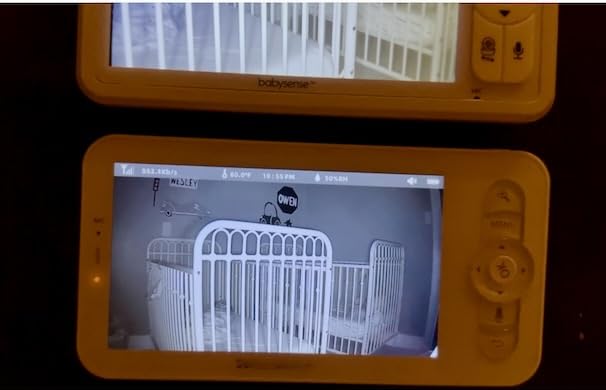
This is the package that answered our own question fastest. It ships the Babysense 7 movement unit together with a 5-inch HD video monitor with a pan, tilt and zoom camera, so you get a 20-second no-movement alarm and a live picture of the cot from the same parent unit.
What makes it stand out is that the sensor is entirely non-contact. Two pads sit under the mattress on hard supports and read chest and tummy rise through the bedding, so there is nothing clipped, worn or strapped to the baby. That single design choice removes the entire category of problems we see with wearables: a sock that rotates off the foot, a clip that slides when baby wriggles, a band under a vest that ends up under the arm.
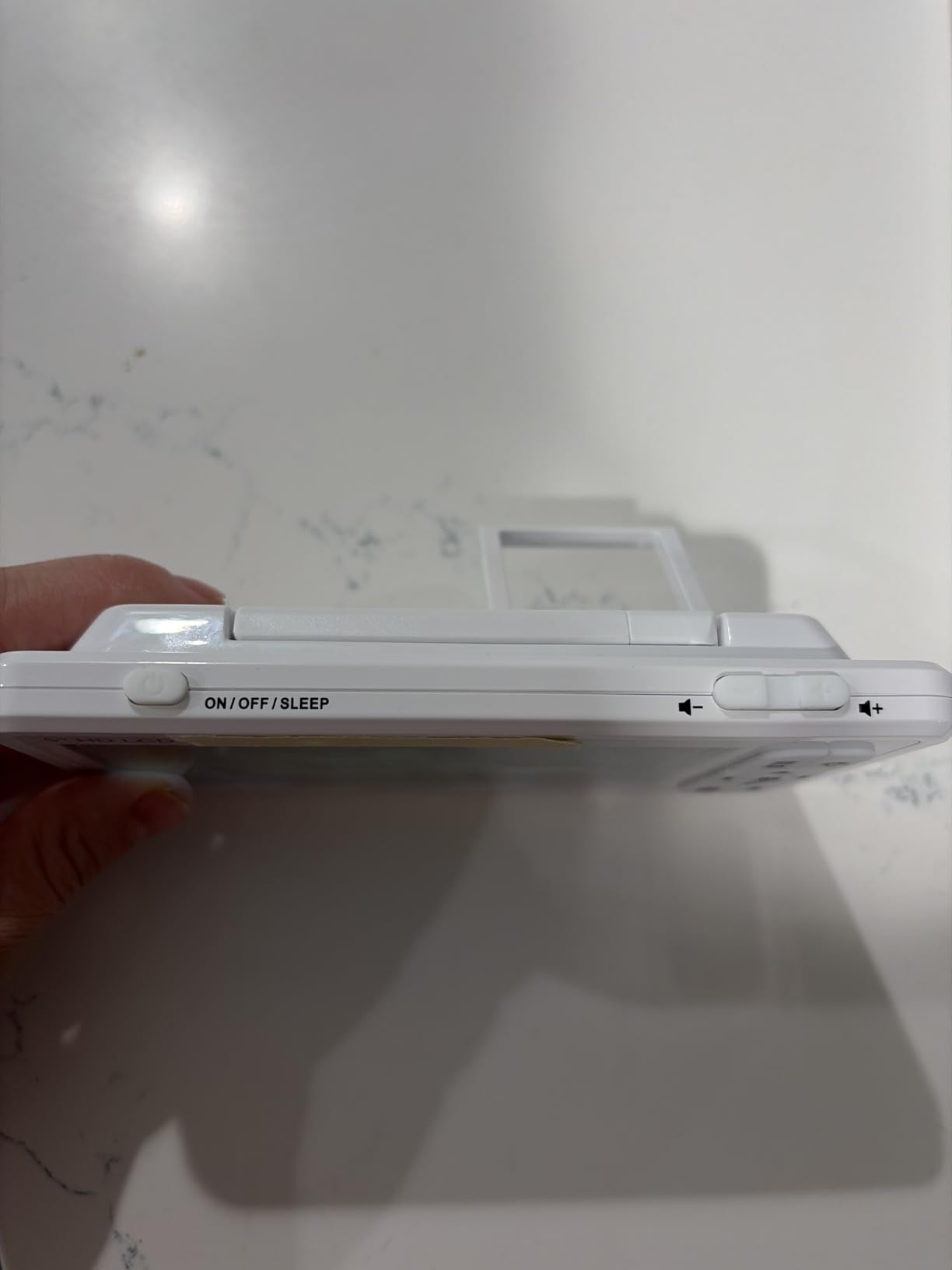
It also runs without WiFi. The camera link is a closed local connection, which removes the two complaints we hear most from owners of WiFi monitors: dropped feeds in weak-signal homes and the slow creep of privacy worries. You get a blinking green indicator when movement and breathing are detected, plus two-way audio, twelve-style lullaby and white noise playback, IR night vision and an adjustable night light.
The honest downsides are all setup friction. Each of the two pads needs its own hard-base sensor support beneath the mattress, and cribs with slatted bases or memory foam mattresses need extra hardware. Owners also report a specific and very human failure mode: lift your baby out for a nappy change and the alarm sounds because the pad registers no movement, so you need a habit of switching it off first. And the sensitivity is high enough that strong air movement, including a ceiling fan or air conditioning, can set it off.
Across 7402 owner reviews it holds a 4.4 rating, and the volume of feedback is itself useful. It is the most widely used device in this roundup, which means the oddities above are well documented rather than hidden.
What to check before you buy
Check your mattress and base first. The pads need a firm, hard surface underneath, and this monitor is not specified for memory foam. If your cot has a sprung or slatted base, budget time and two small supports to make it work properly.
Then decide honestly whether you want the camera at all. The movement half works on its own, and the video half is what makes this bundle more expensive than a pad-only unit. If you will not look at the screen, a pad-only monitor is the better buy.
Who should skip it
Skip it if you share a room and co-sleep, or if you expect to monitor a baby in a car seat or pram. Under-mattress sensing depends on a flat, stationary surface, and none of these systems should be relied on in a moving seat or a bed.
Skip it if your baby sleeps somewhere other than a cot for most of the night. This unit is not portable, and the sensor supports are awkward to move between rooms. For a family that naps on the move, a clip-on model suits better.
2. Owlet Dream Sock – Pulse Oximetry Vitals With Base Station Alerts
Owlet Dream Sock Smart Baby Monitor, Includes 3 Months of Owlet 360
Pulse oximetry sock
Base station plus phone alerts
16-hour battery
Healthy infants 1-18 months
Pros
- Only device here reading pulse rate and oxygen
- Alerts fire on the base station so they carry across a room
- 16-hour battery covers a full night easily
- Two sock sizes included as baby grows
- Owners report fewer false alarms over months of use
Cons
- Bluetooth link to the base can drop and need a snug outer sock
- App can lag while compiling session data
- Historical sleep data is thinner after a session ends
- US version only
Everything else on this list detects movement or stillness. The Dream Sock is the only device here that produces actual numbers, because it uses pulse oximetry to read pulse rate and blood oxygen through fabric wrapped around the foot.
That changes the nature of the alarm. Instead of a 20-second movement timer, the readings are compared against preset zones and you get notified when they leave those ranges. The alert path is also the best designed in this roundup: it fires on the plug-in base station in the nursery and on your phone, so a parent on another floor or in another room hears it. Owners consistently single this out as the reason the device feels reassuring rather than decorative.
Battery life is rated at 16 hours per charge, which comfortably covers a newborn’s longest sleep stretch, and the Bluetooth and 2.4 GHz pairing is simple. Two sock sizes ship in the box so the fit lasts as the baby grows, and the intended range is healthy infants from 1 to 18 months, weighing 6 to 30 pounds.
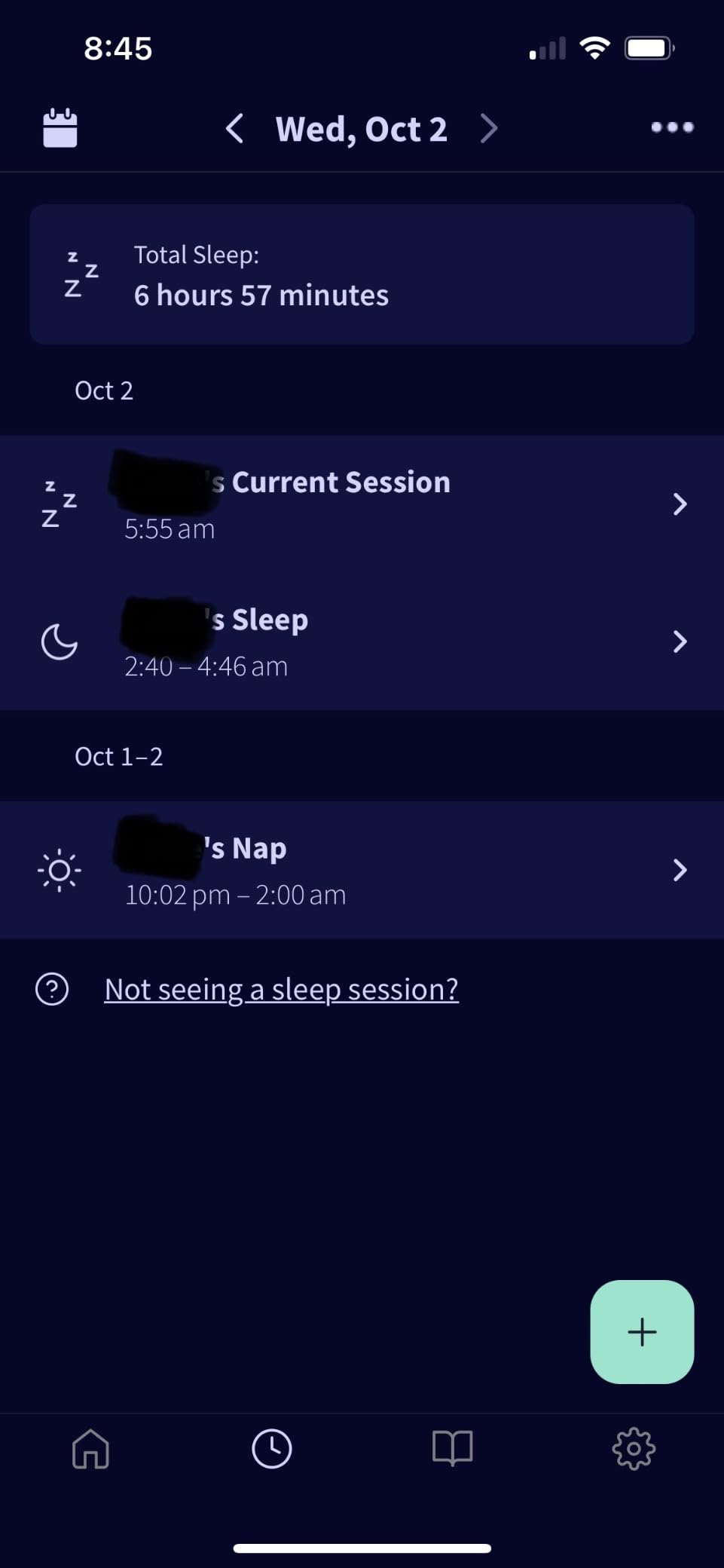
The rating is 4.0 across 5257 reviews, which is the lowest average in this roundup, and the review pattern explains why. Owners who get it working describe it as life-changing for postpartum anxiety, and the loyal cohort is large. The unhappy group clusters on friction rather than on the sensor: Bluetooth dropouts between sock and base that some owners fix by adding a snug stretchy sock over the top, and an app that can take 30 minutes or more to compile session data.
One more thing worth saying plainly, because parents ask it constantly. Owners report that some pediatricians advise against consumer wearables like this, and that advice can itself raise anxiety rather than settle it. The sock is designed for healthy infants. It is not a substitute for clinician-arranged monitoring, and it is not intended for babies with diagnosed chronic heart or breathing conditions.
What to check before you buy
Check your region and your router. This listing is the US version, with app support limited by region, and the connection uses 2.4 GHz rather than 5 GHz, so a mesh network that has 2.4 GHz switched off will not pair.
Check your baby’s weight against the 6 to 30 pound range and the 1 to 18 month window. If your baby is older, heavier or medically flagged, this is the wrong device and you should be talking to your pediatric team rather than a retailer.
Who should skip it
Skip it if you do not want a device on your baby at all. There is no version of this that goes under the mattress, and the sock is a genuine contact point on a newborn’s foot every night.
Skip it if data dashboards will make you more anxious rather than less. A number that occasionally dips into a zone you have set can send you to the baby when nothing is wrong, and no screen tells you which reading matters.
3. Babysense 7 – Two Under-Mattress Pads And Nothing Worn By Baby
Babysense 7 Baby Movement Monitor, 2 Sensor Pads, Non-Wearable, No WiFi
2 non-contact sensor pads
20-second no-movement alarm
No WiFi or app
1 year warranty
Pros
- Owners report very few false alarms over months of use
- Two pads cover the whole crib as baby scoots around
- Completely non-contact with nothing worn
- No WiFi
- app or subscription
- Praised by owners of premature and NICU babies
Cons
- Requires two wooden or plywood sensor supports under the mattress
- Does not work with memory foam mattresses
- Sensitive to ceiling fan and air conditioning airflow
- Not portable
This is the movement monitor without the camera, and for a lot of households that is the whole point. The box contains two sensor pads, a control unit, a control unit holder, a hanging hook and a manual, and that is the entire system.
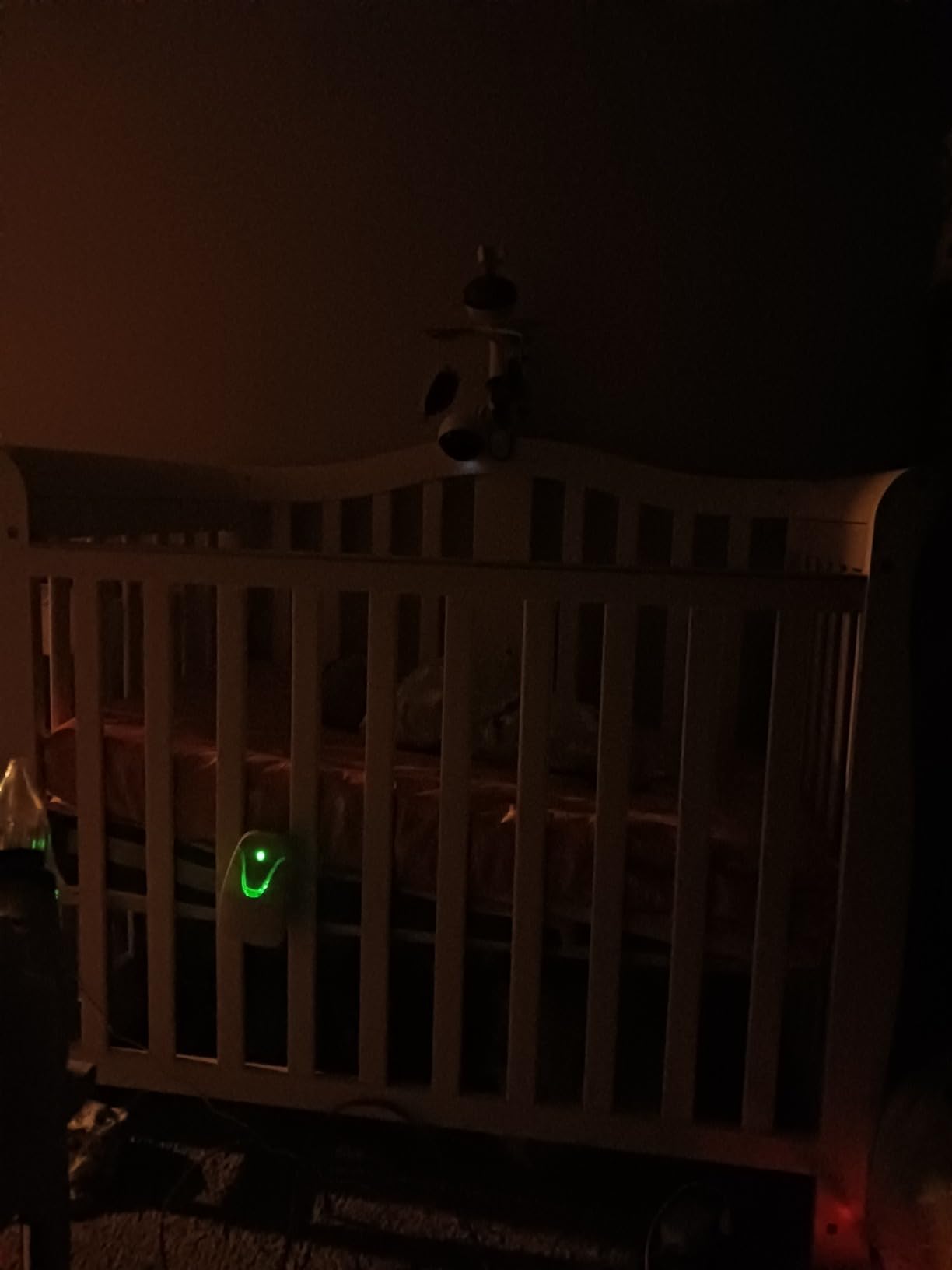
How it works is simple. The pads read movement through the mattress using a non-contact pressure sensor, and the control unit sounds an audible alarm if no movement is detected within 20 seconds, or if movement slows. A blinking green light confirms that movement and breathing are being detected, which is a small but important detail: you can glance at it and know the system is live without going into the room.
What stands out in the reviews is alarm behaviour. At 4.5 stars with 508 reviews, this has the strongest owner satisfaction per review of any pad-based unit here, and owners repeatedly describe months without false alarms. Several reviewers with premature babies and babies discharged from neonatal care credit it directly with peace of mind during the anxious first months at home.
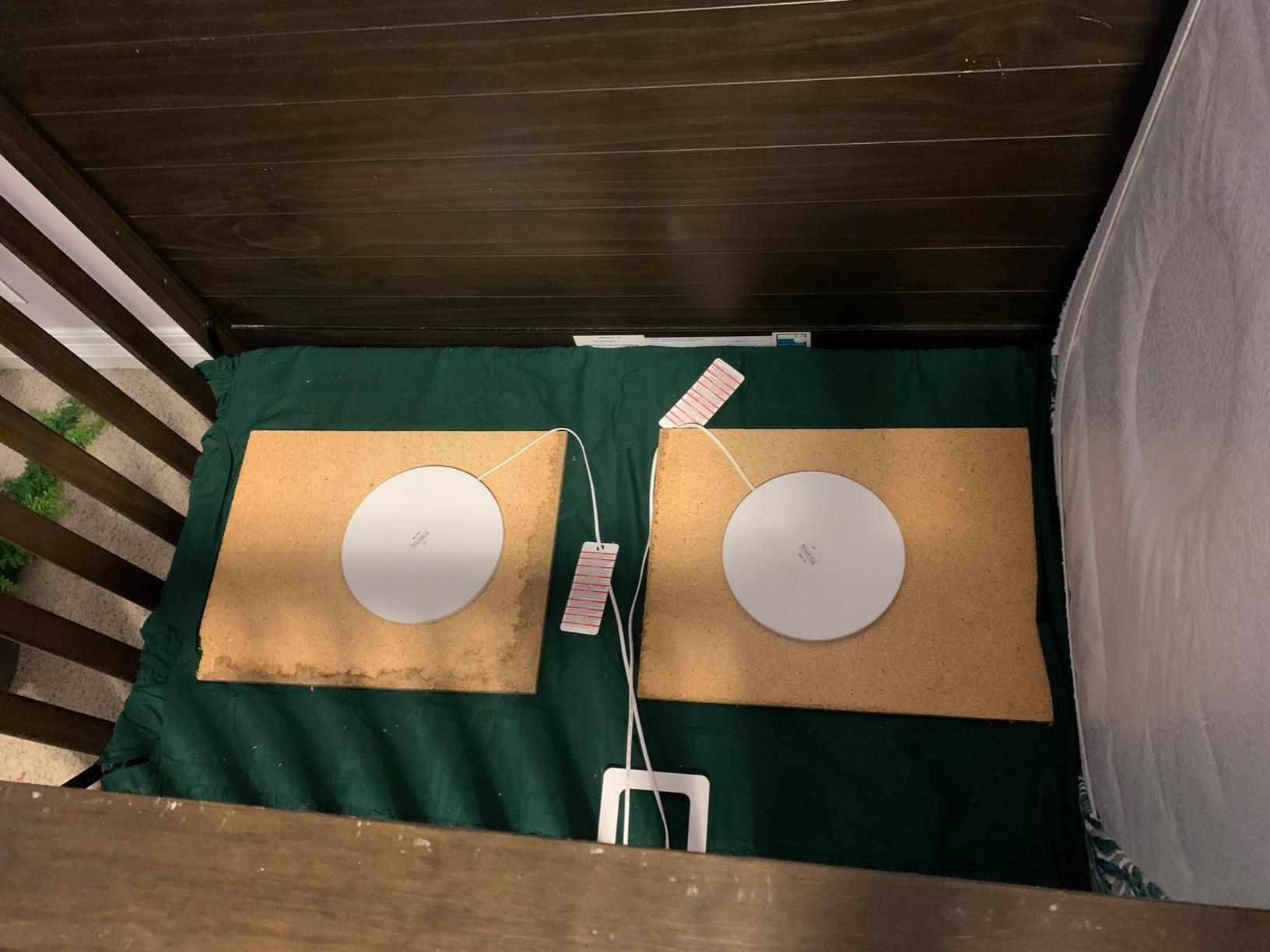
The hardware requirements are the catch. You need two wooden or plywood sensor supports under the mattress, and memory foam mattresses are excluded. The unit runs on alkaline batteries that are not included, and because there is no app, a low battery announces itself with an alarm rather than a notification. Owners also note the pads are sensitive to air currents, so a ceiling fan or air conditioning running in the nursery is a common trigger.
One habit is essential: switch the alarm off before you lift your baby out of the crib. Otherwise the pad correctly reports no movement and the unit sounds, which is exactly the pattern that makes parents distrust the alarm within a fortnight.
What to check before you buy
Check the mattress type and the base. Hard, flat surfaces work. Memory foam does not. If your sleep setup is a Moses basket, a travel cot or anything with a flexible base, confirm the fit before you commit.
Check how far away you sleep. There is no app and no wireless link here at all, so the audible alarm carries only as far as sound does. In a house where the nursery is a floor away, this unit will not wake you, and a camera-and-app model will serve you better.
Who should skip it
Skip it if you are not willing to install two sensor supports and accept a fixed setup. It is deliberately non-portable, so it belongs in one sleeping space and stays there.
Skip it if you need a breathing rate, heart rate or oxygen figure. This detects stillness, and stillness is not the same as breathing. It is a stillness alarm with an excellent track record, and knowing the difference is what keeps it useful.
4. Snuza Hero – Diaper Clip Movement Alarm Built For Travel
Snuza Hero Baby Movement Monitor with Patented Sensor Technology for Reliable Movement Monitoring and Alerts. No WiFi, Cords, or Sensor Pads, Portable and Easy to Set Up and Use.
Diaper clip direct-touch sensor
15-second vibration then alarm
6-month battery
1.38 ounces
Pros
- Simplest setup of anything in this roundup
- Direct-touch sensors reduce false alarms versus pads
- Up to 6 months of battery with a protective carry case
- 1.38 ounces so the baby barely notices it
- Green light and optional ticking confirm detection
Cons
- Not suitable for co-sleeping or bed-sharing
- Diaper clip can loosen if the baby is very active
- Detects stillness only
- no breathing rate or oxygen
- Must be moved for every nap outside the crib
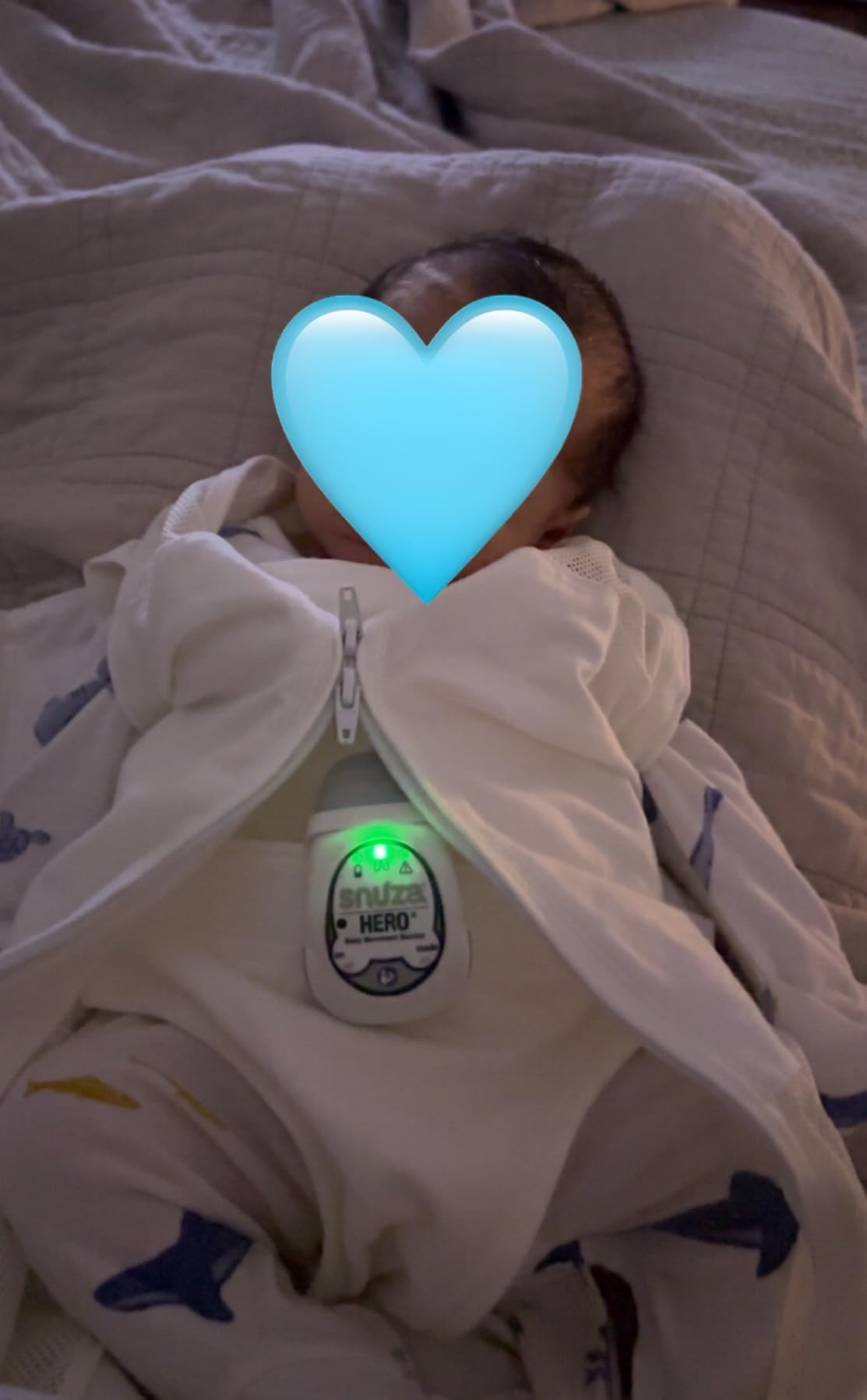
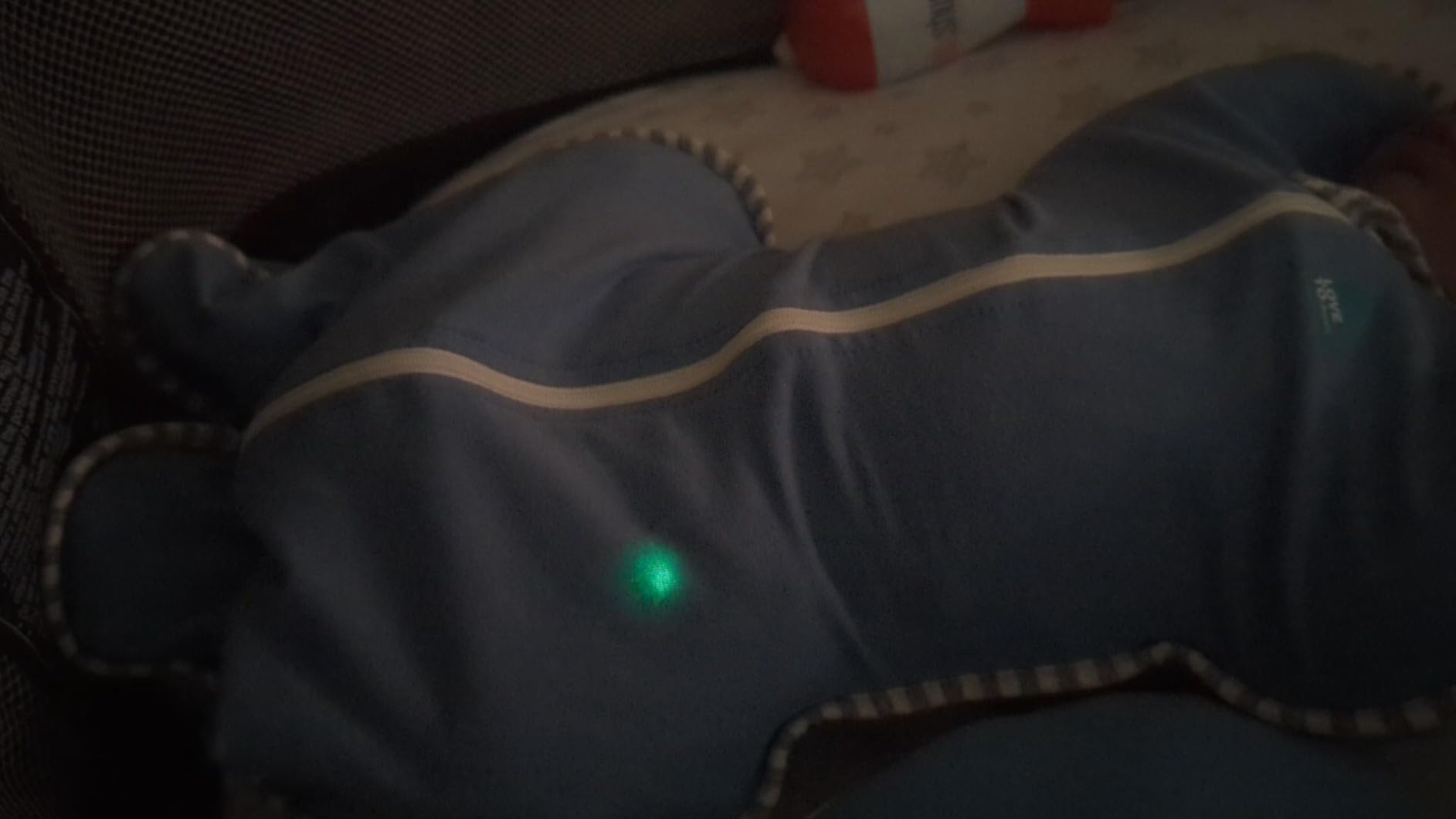
The Snuza Hero is the opposite engineering philosophy to a mattress pad. There are no pads, no cords, no base station and no app. It is a small grey and white clip in plastic and silicone that attaches to the nappy waistband and reads abdominal movement through direct touch.
The alert pattern is the part we like. After 15 seconds of no movement it vibrates, and if movement has still not resumed it sounds an audible alarm 5 seconds later. Vibration first means a stirring baby gets a gentle stimulus rather than a full-volume startle, and it is a gentler escalation than a pad unit that simply screams. A green indicator light, plus an optional ticking sound you can enable, gives you continuous confirmation that movement is being detected.
Battery life is the quiet winner here: a replaceable lithium-ion cell rated at up to 6 months, with no charging cradle, no cables and no external power. The whole unit weighs 1.38 ounces and measures 2.76 by 1.57 by 0.79 inches, and it comes with a protective carry case. For grandparents’ houses, holidays and grandparents covering a night, that combination is genuinely useful.
At 4.5 stars with 588 reviews, it has the highest share of five-star ratings of any product here. The complaints are consistent and mostly mechanical. Diaper attachment loosens when a baby is very active, and once it shifts the readings suffer. The manufacturer is explicit on two points: this is not a medical device, and it is not suitable for co-sleeping or bed-sharing.
That second limitation is not a technicality. In a bed-share situation the sensor position is not representative of what you want measured, and the device is not designed for that environment. Treat it as a cot-only tool.
What to check before you buy
Check where the alarm will be heard, because this is the single most important practical fact about clip-on monitors. The Snuza sounds on the baby. If you sleep in another room, you need a separate sound monitor or a camera system in the nursery, and we have covered those in [our WiFi baby monitor guide](https://www.drunvalo.net/best-wifi-baby-monitors/).
Check whether the baby sleeps on their back. A direct-touch abdominal sensor relies on the baby staying in roughly the same position, and frequent rolling changes the picture entirely.
Who should skip it
Skip it if your baby scoots or rolls a lot in the cot. The sensing area is small, and a baby who travels across the mattress can drift out of range, which turns the device into an occasional and unpredictable alarm.
Skip it if you want numbers rather than an alarm. There is no breathing rate, no oxygen level and no heart rate. The ticking sound is a confirmation tone, not a measurement.
5. Levana Oma Sense – Abdominal Movement Clip With Zero Wireless
Levana Oma Sense Portable Baby Breathing Movement Monitor with Vibrations and Audible Alerts Designed to Stimulate Baby and Alert Parents
Abdominal movement clip
15-second vibration then alarm
5 seconds to audible
No radio, WiFi or Bluetooth
Pros
- Zero skin contact
- fits over the nappy or a buttoned onesie
- No wireless frequencies of any kind during sleep
- Vibration first then audible escalation
- Blue status light confirms the unit is working
Cons
- Detects stillness only
- no breathing rate or oxygen
- Designed for the 0-6 month window
- A baby who scoots far in the cot can drift out of range
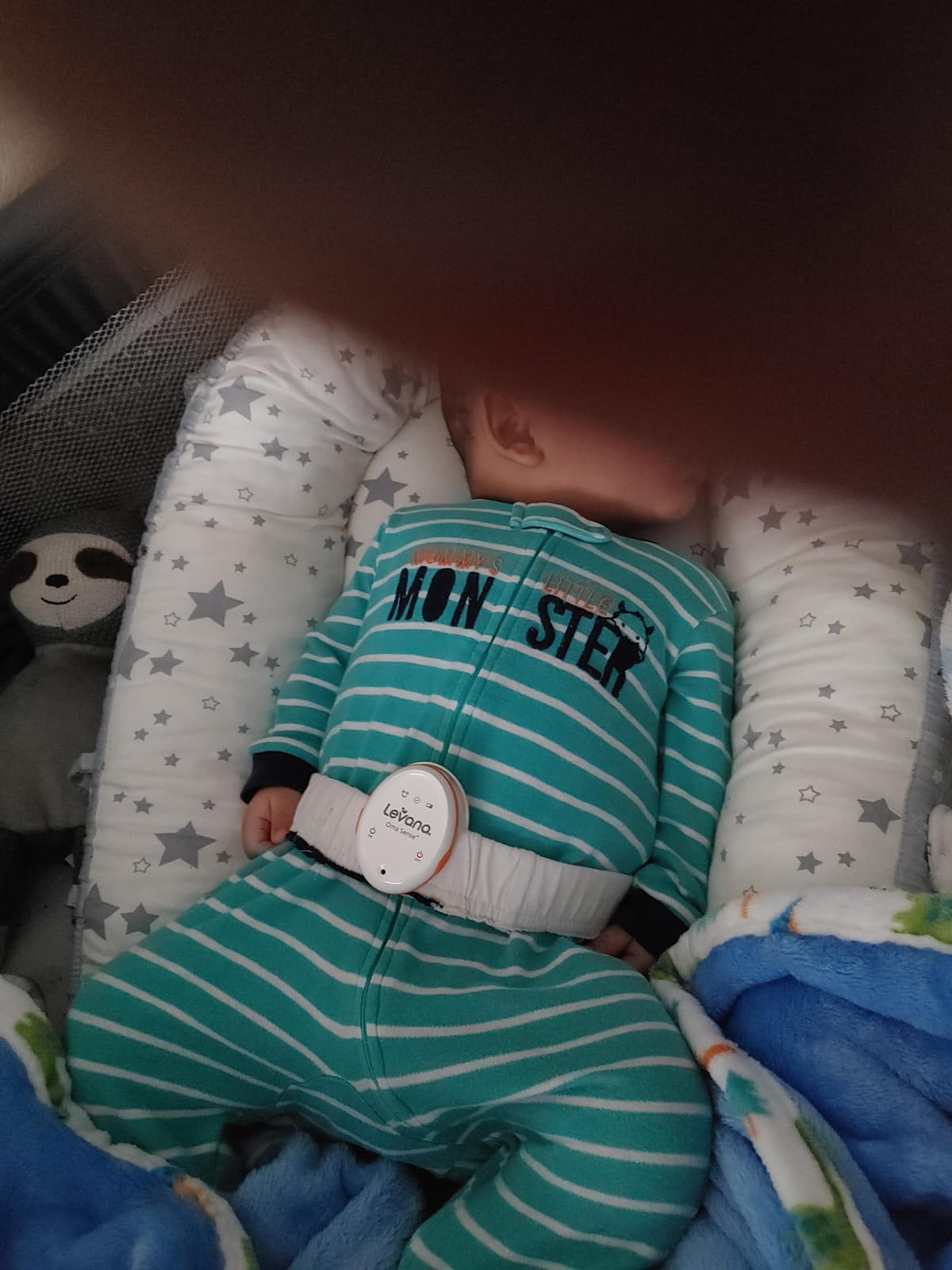
The Levana Oma Sense shares the clip-on format with the Snuza Hero but makes a different bet. Its selling point is what it does not have: no WiFi, no radio, no Bluetooth, no cables and no app. Nothing transmits, so there is no signal to drop during sleep and no wireless device in the cot at all.
It uses what the manufacturer calls patented Wakeup Technology to monitor abdominal movement continuously. After 15 seconds of no abdominal movement it fires a randomized vibration sequence designed to gently rouse the baby, and if movement does not return it triggers an audible emergency alarm 5 seconds later. A flashing blue indicator light tells you the unit is powered and working.
Fit is handled better than most clip-on designs. It attaches over the nappy, over trousers or over a buttoned-up onesie, with no skin contact at all, and it is made from medical grade materials. It was designed in Canada for infants 0 to 6 months, and it is simple to fit and genuinely portable if you move it between spaces.
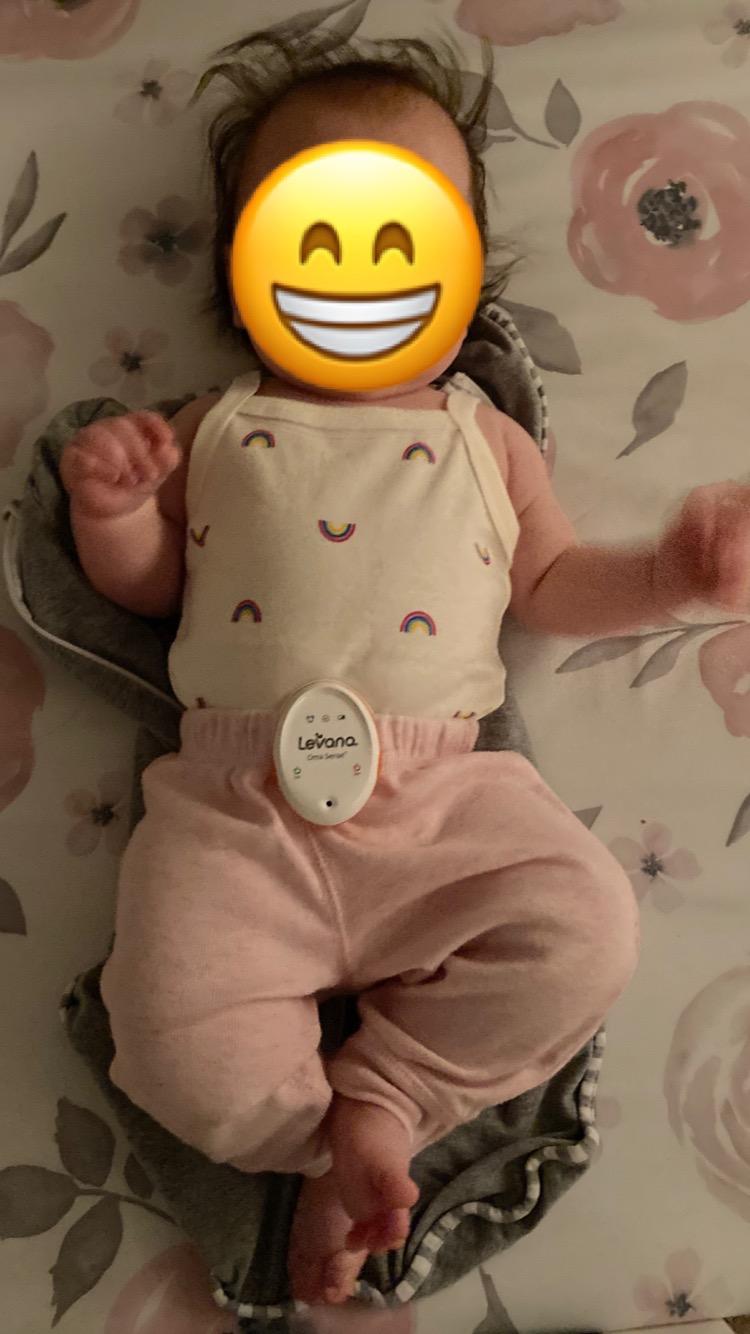
At 4.3 stars across 957 reviews, the owner consensus is that it does one job well. Buyers who want zero skin contact and no wireless signal at all are its core audience. The limitations follow directly from the design: it alerts only if the baby remains still, so there is no breathing rate and no oxygen level, and the sensing window is tied to the baby’s position.
A baby who scoots a long way across the crib can drift outside the sensing area, which means the unit is most reliable in the first months when babies are still settling in one spot. Expect to move it, re-seat it or switch it off as your baby becomes more active.
What to check before you buy
Check the alert reach, for the same reason as any on-baby device. This one alerts on the baby. In a room-sharing setup where the cot is within earshot, the vibration-then-audible pattern is a feature. Down the hall, it is not.
Check the age window. It is built for 0 to 6 months, which covers the period when a movement alarm is most relevant anyway, but it will not grow with your child.
Who should skip it
Skip it if you want medical-grade vitals or even a breathing rate. Zero wireless is a privacy and reliability choice, and the trade is that you are measuring stillness, not breathing.
Skip it if your household has a shared wall situation where radio-free operation is not a priority for you. In that case, the added comfort of a paired camera system is worth more.
6. Owlet Dream Duo 3 – Sock Vitals And A 2K Camera In One App
Owlet Dream Duo 3 Smart Baby Monitor System, Dream Sock + 2K HD Camera
FDA-cleared sock plus 2K HD camera
130-degree wide-angle lens
One app for vitals and video
256-bit encryption
Pros
- Medical-grade pulse oximetry and 2K video in a single app
- 2K resolution with 130-degree lens and 4x zoom
- Camera supports both 2.4 GHz and 5 GHz WiFi
- Customizable sound
- movement and crying alerts
- SGS Cybersecurity Mark on the camera
Cons
- Most expensive combined system in this roundup
- 2.4 GHz band must stay enabled for the sock
- US version only with region-limited app support
- Owlet360 deeper insights need a subscription
- Two devices each with their own power and connection
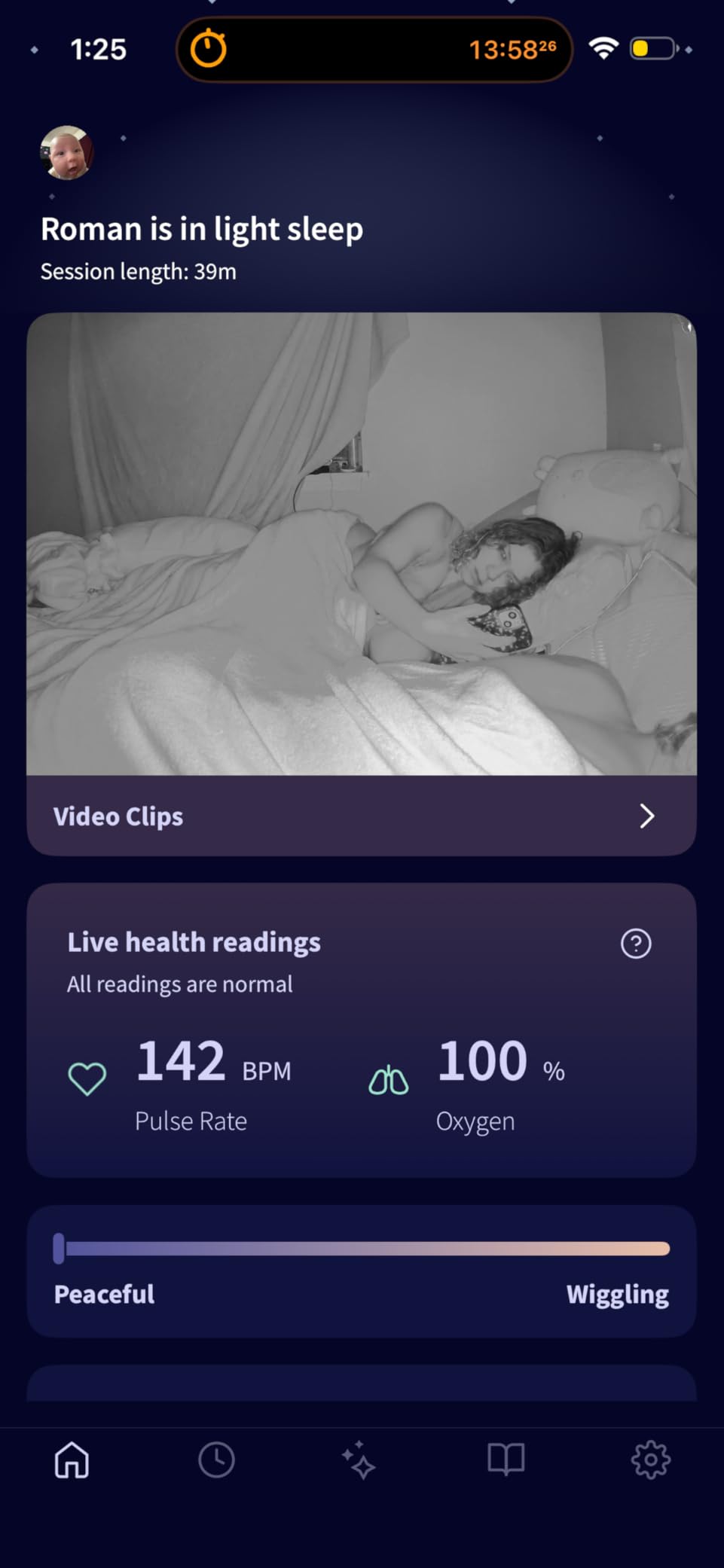
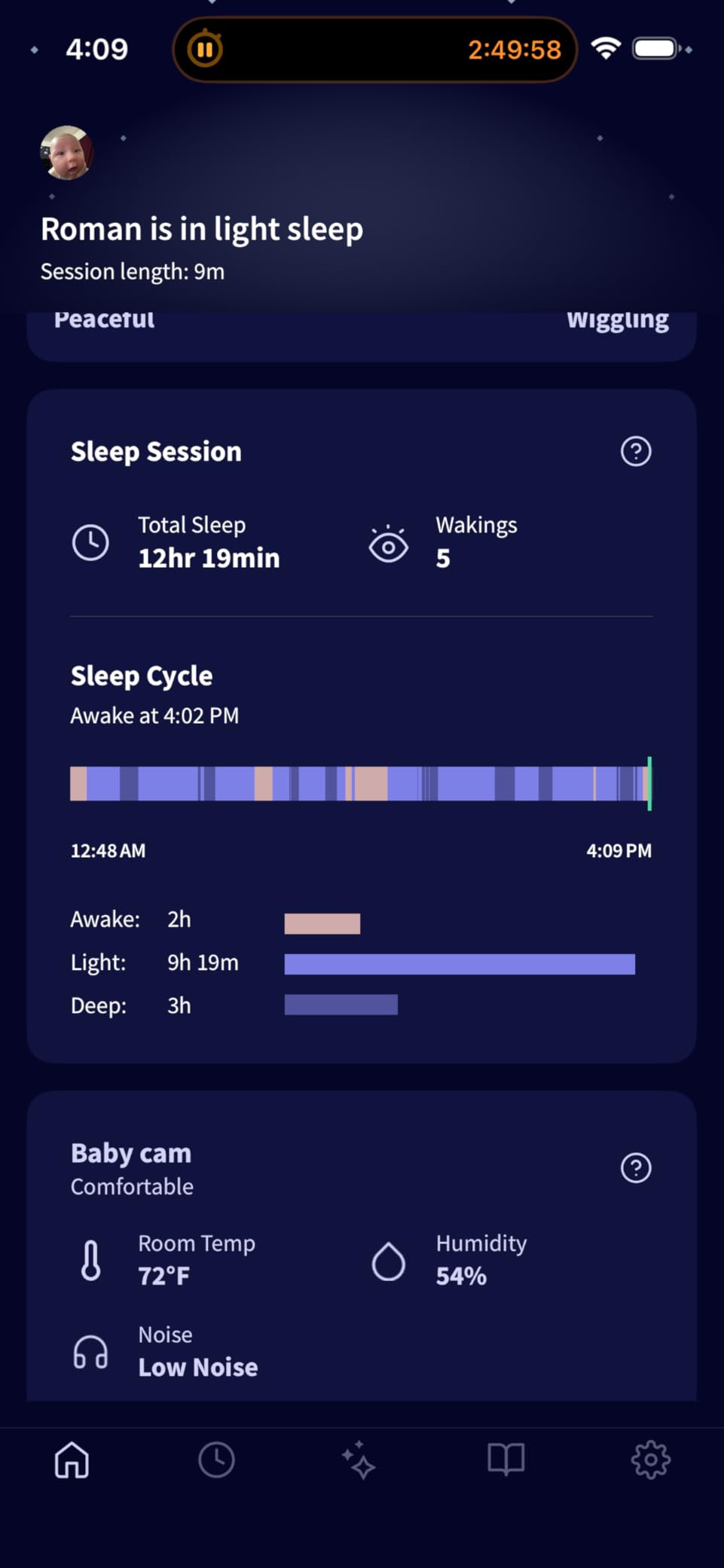
The Dream Duo 3 is the answer to the question parents ask most often, which is whether they have to choose between vitals and a picture. It pairs the FDA-cleared Dream Sock with a 2K HD Dream Sight camera and runs both through one app, so the same phone screen shows pulse and oxygen readings alongside a live video feed.
The camera is the step up from 1080p. It captures 2K HD through a 130-degree wide-angle lens with 4x digital zoom, and it supports dual-band Wi-Fi on both 2.4 GHz and 5 GHz. That dual-band support is worth highlighting, because the bundled sock still needs the 2.4 GHz band available to stay connected, and a lot of modern mesh networks default to 5 GHz only.
Alerts are configurable rather than one-size-fits-all. You can set notifications for sound, movement and crying, and the camera handles room temperature and humidity with comfort zone alerts. Security is handled seriously for a connected device: 256-bit encryption and an SGS Cybersecurity Mark on the camera.
The rating is 4.4 from 184 reviews, which is a small base compared with the standalone products, so treat the sentiment as encouraging rather than proven over time. Owners like the single-app view and the sharper 2K detail compared with 1080p units.
The trade-offs are structural. This is the most expensive combined system in the roundup, it is two physical devices each with their own power and connectivity, and the deeper Owlet360 sleep and health reports are a subscription upgrade. It is also a US version with region-limited app support, so it is not a global purchase.
What to check before you buy
Check your Wi-Fi configuration before you set it up, not after. Confirm the 2.4 GHz band is enabled on your router or mesh system, because the Dream Sock connection depends on it even though the camera itself is more flexible.
Check whether you want both halves. If the sock is the part that matters to you, buying the Dream Sock on its own gives you the same vitals and alerts for less, with one device instead of two.
Who should skip it
Skip it if your baby is not in the 1 to 18 month, healthy-infant range the sock is designed for, or if you are outside the US. Region limits on the app are a real limitation, not a formality.
Skip it if you only want reassurance and not data. A 2K camera and a subscription tier of reports is a lot of surface area to maintain for a function the Snuza Hero or Babysense 7 covers in a fraction of the setup.
7. Nanit Smart Baby Monitor – Sleep Reports And A Floor Stand
Nanit Smart Baby Video Monitor – Camera & Floor Stand – 1080p Wi-Fi Camera
1080p with infrared night vision
Sleep tracking and NextNap predictions
Floor stand included
256-bit encryption
Pros
- Automatic sleep duration
- efficiency and disturbance tracking
- Clear 1080p day and night video with dependable IR night vision
- Floor stand suits renters and moves between rooms
- Reliable connection with few reported dropouts
- Alerts can be silenced overnight to avoid waking parents
Cons
- Breathing Band and Memories subscription sold separately
- Camera-only breathing monitoring needs the extra band
- Some owners report false temperature and movement alerts
- App features sit behind a paywall after the trial
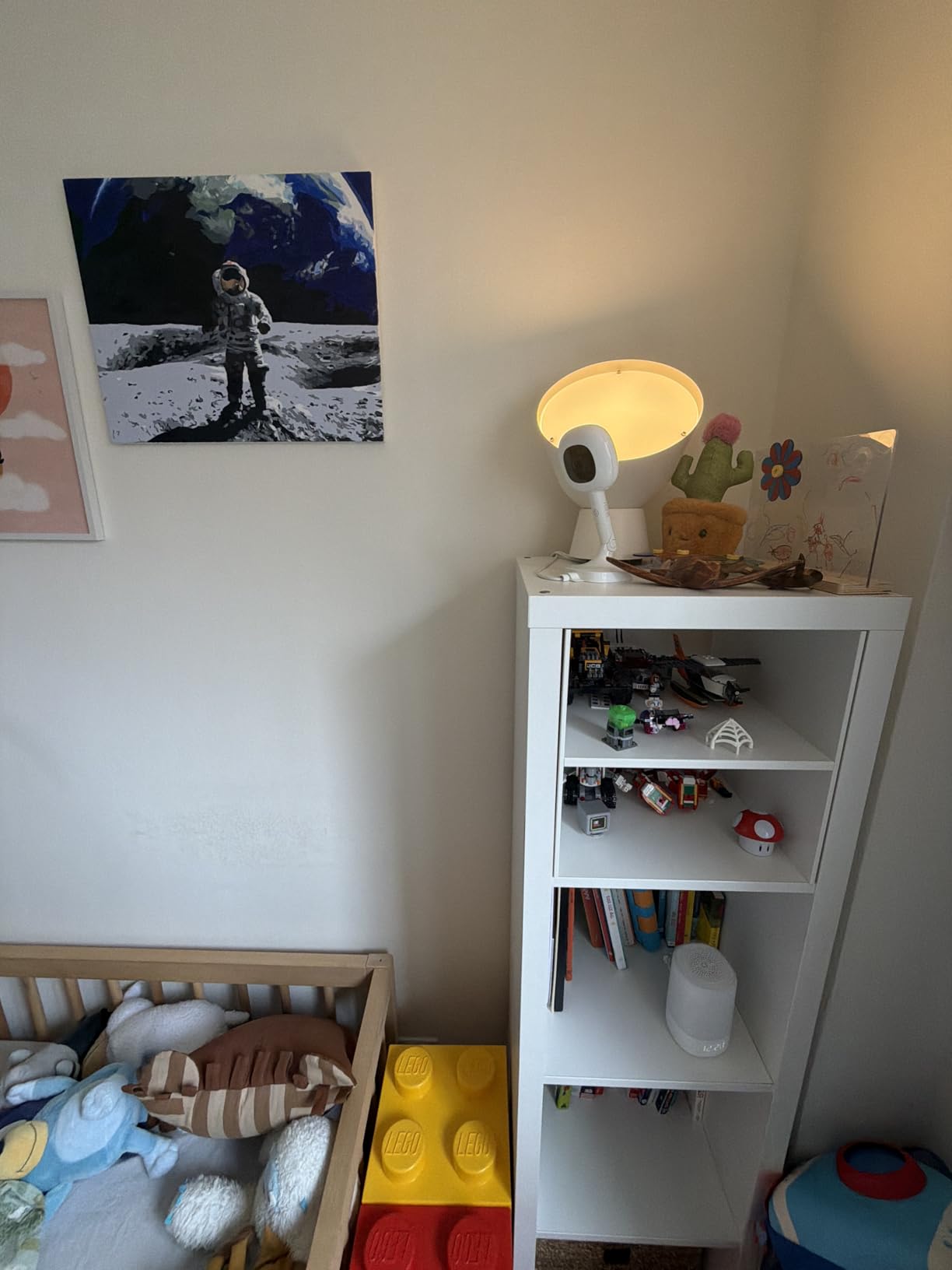
The Nanit is the strongest camera on this list for sleep analytics rather than movement detection, and it is important to be straight about that distinction. Out of the box, this is a 1080p HD Wi-Fi camera with infrared night vision, two-way audio and automatic sleep tracking of duration, efficiency and disturbances.
On top of that it adds an AI sleep coach that makes NextNap predictions and builds long-term trend reports, plus cough and cry detection, nursery temperature and humidity tracking, and customizable notifications for motion, sound, temperature and humidity. Multi-caregiver access with permission controls lets a partner, sitter or grandparent see the feed without you handing over your login.
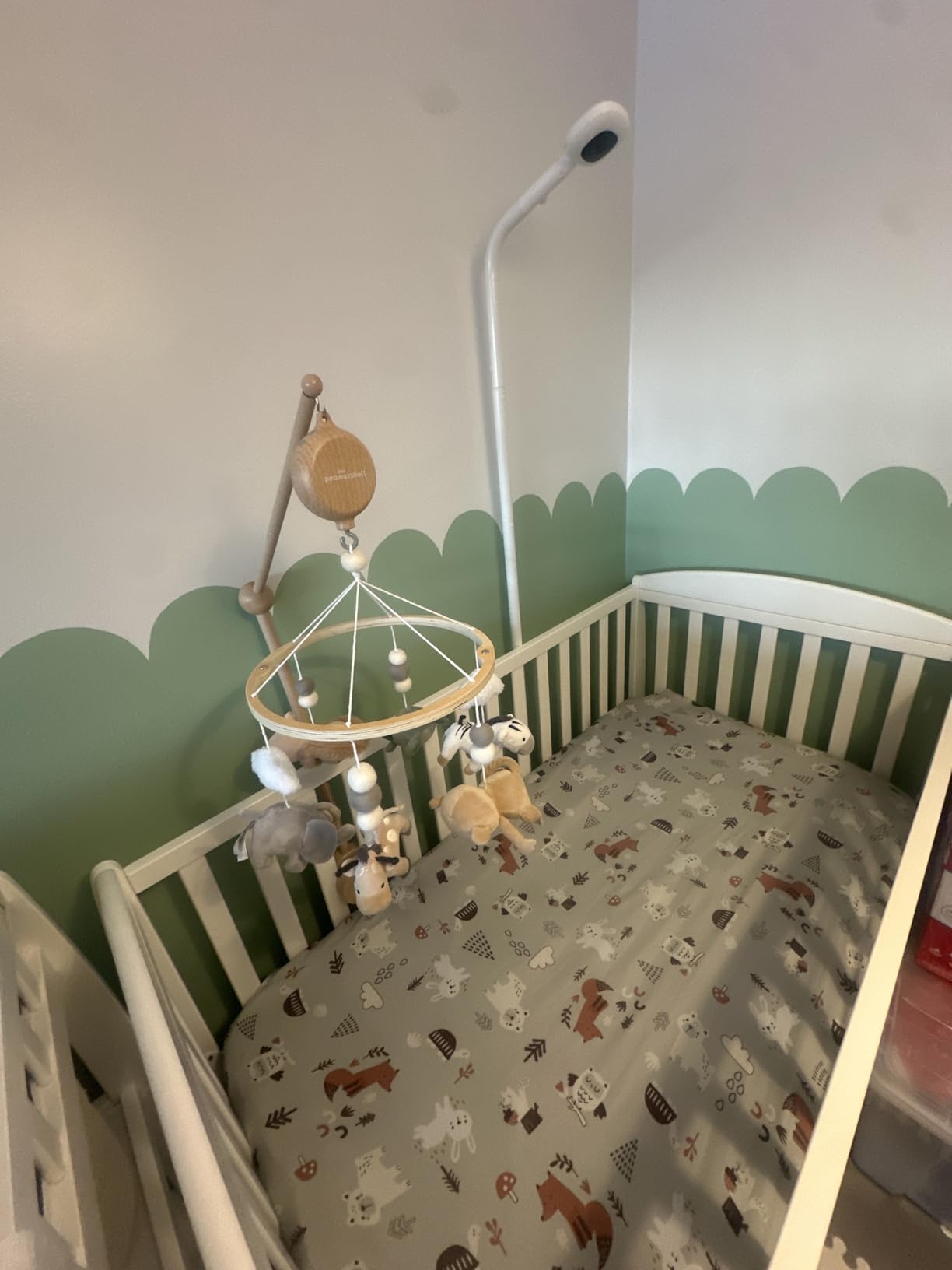
Two practical details stand out. The floor stand is included, which makes it a renter-friendly choice and easy to move between rooms or pack for a trip, and the alert system can be silenced at night so notifications do not wake you while the baby sleeps. Security is 256-bit AES encryption with two-factor authentication, and it works with Alexa and Google Home.
At 4.3 stars across 245 reviews, owners consistently praise the sleep reports, the tracking accuracy and the night vision. The friction is cost stacking. The Breathing Band and the Memories subscription are both sold separately, and the camera’s breathing monitoring only functions if you buy the band, so on its own this is not a movement monitor in the sense the rest of this list describes.
A minority also report false temperature and movement alerts, and one reviewer had inconsistent nursery condition readings even after a replacement part. Treat the environmental numbers as approximate and the sleep reports as the strong suit.
What to check before you buy
Check whether you actually want breathing monitoring, because it is an add-on. If breathing alerts are your reason for buying a monitor, the Nanit package as sold here does not include them and the total cost changes once you add the band.
Check your mounting situation. The floor stand is in the box and suits most homes, but if you plan to wall-mount, that is a separate variant and a separate purchase.
Who should skip it
Skip it if your priority is a movement or breathing alarm. This is a sleep-analytics camera, and a baby who is breathing but has rolled may generate a motion event that tells you nothing about respiration.
Skip it if you want no recurring fees at all. The most compelling features, including the long-term memory features, sit behind a subscription after the free trial period ends.
8. Lollipop Camera – Crying Detection And Optional Breathing Plan
Lollipop Baby Monitor (Turquoise) – Full-Featured Smart Wi-Fi Camera of True Crying Detection with Extra in-App Plan of Breathing Monitoring/Sleep Tracking-Accessories Free/7 Days Trial Period
1080p Full HD
Contactless AI breathing plan
True crying detection
Audio-only night mode
Pros
- No separate receiver unit
- just a phone and tablet app
- Very easy to install wrapped around the crib or wall mounted
- Excellent 1080p day and night image with a wide field of view
- Crying and crossing detection cut down on unnecessary check-ins
- Core features work on the free plan
Cons
- Breathing monitoring only included with the paid in-app plan after the trial
- Weak home WiFi signal causes dropped connections
- Built-in sound machine can overwhelm the microphone
- Firmware and app updates have interrupted connectivity for some owners
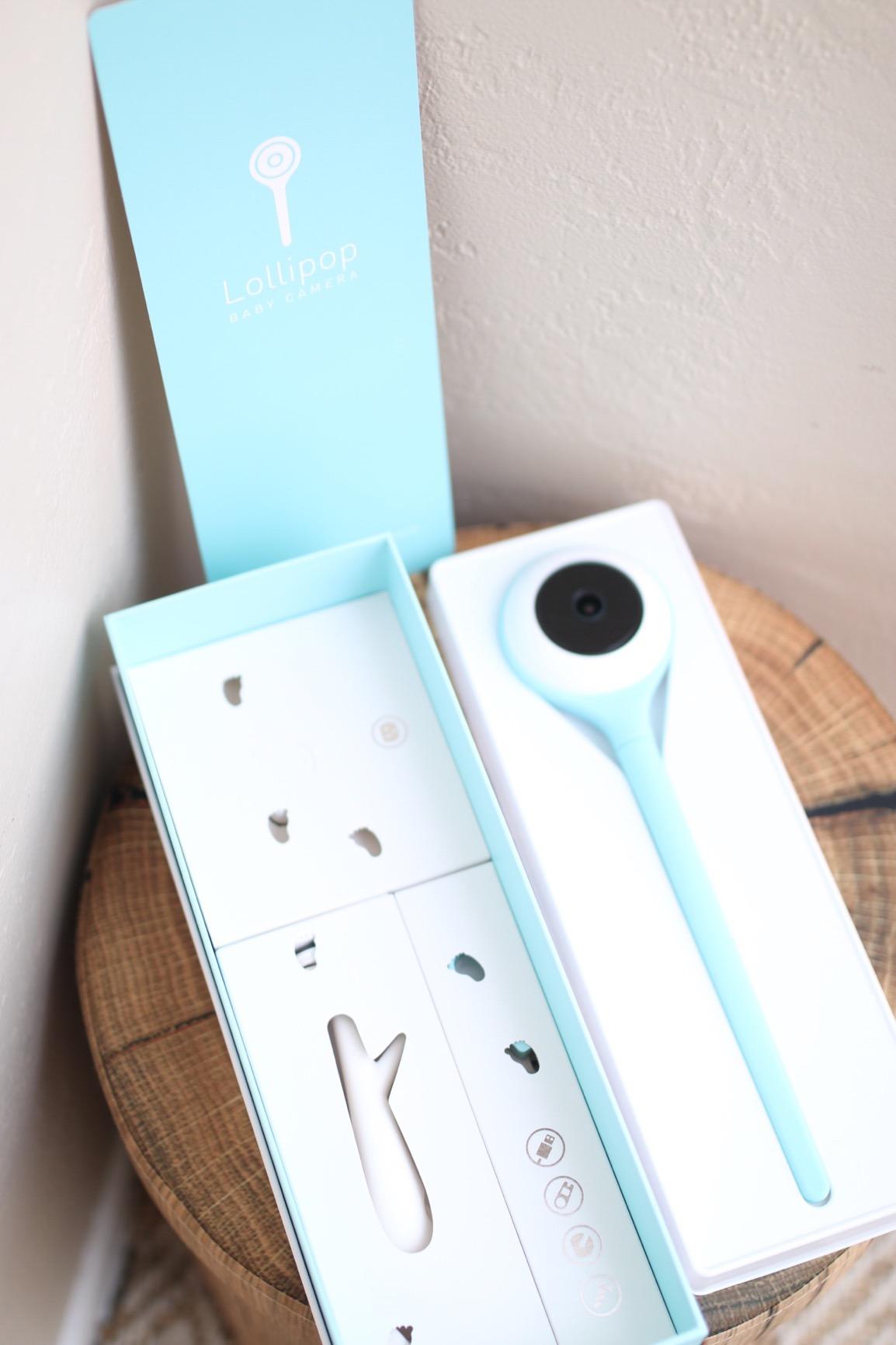
The Lollipop takes the camera approach seriously and skips the receiver entirely. You wrap it around the crib rails or wall-mount it, power it over USB with a long cable, and view everything in an app on a phone or tablet. There is no parent unit to charge, drop or lose.
Its standout feature is true crying detection, which filters ambient noise so a door slam or a TV does not trigger a check-in. It also has crossing detection, where you draw a virtual border in the camera view and get an alert if anything crosses it, plus 12 nature sounds and lullaby playback, push-to-talk, 1080p live view and event clip downloads.
The feature parents like most at 3am is audio-only mode. It keeps monitoring with the phone screen off, which preserves your battery and removes the temptation to keep a glowing screen beside the bed. Breathing monitoring is contactless and AI-based, producing a respiratory rate and a sleeping position history, but it sits behind an in-app plan with a 7-day trial after the free plan.

At 4.2 stars from 4917 reviews, image quality and mounting simplicity are the strongest parts. The recurring negatives are all connectivity-related. Owners in weak-signal homes report dropped connections, and firmware and app updates have interrupted connectivity and audio streams for some people, which is a real risk in any device that depends on a cloud backend.
Two smaller issues come up repeatedly. The built-in sound machine can overwhelm the microphone when it plays in the same room as the camera, and the background audio setting is not always retained after the camera reconnects. The app interface is well built but not the most intuitive, and some icons are confusing on first use.
What to check before you buy
Check your Wi-Fi coverage at the exact spot where the camera will sit, not at the router. This is a WiFi-dependent device and it is the single biggest source of complaints in the reviews. Signal strength in the nursery decides whether this works for you.
Check whether you are willing to pay for breathing data after the trial. The free plan covers a great deal, but the respiratory rate and sleep position history are on the paid plan, so budget accordingly if that is why you are here.
Who should skip it
Skip it if your baby’s cot is in a part of the house with patchy WiFi. A camera that drops its feed at 4am is worse than a simple pad alarm that just beeps, because you end up not trusting either.
Skip it if you want movement sensing with no subscription attached. The contactless breathing tracking is the movement-adjacent feature here, and it is the part that costs money after the trial.
9. Momcozy Smart Baby Monitor BM08 – Contact-Free 2K Video With No Subscription
Momcozy Smart Baby Monitor, 2K HD & Night Vision Contact-Free Baby Monitor
2K HD with 8x zoom
940nm invisible infrared
AI cry detection with white noise
No subscription for sleep reports
Pros
- Sleep tracking and summaries with no subscription fee
- Nothing worn by the baby at all
- 2K clarity with 8x digital zoom and invisible 940nm night vision
- AI cry detection filters background noise and triggers white noise
- Physical privacy button disables the camera instantly
Cons
- Manufacturer states it is not a medical device
- not for breathing
- apnea
- SIDS or vitals
- Requires a smartphone app and home WiFi
- Motion alerts can trigger on changing light or shadows
- Newer listing with a smaller base of reviews
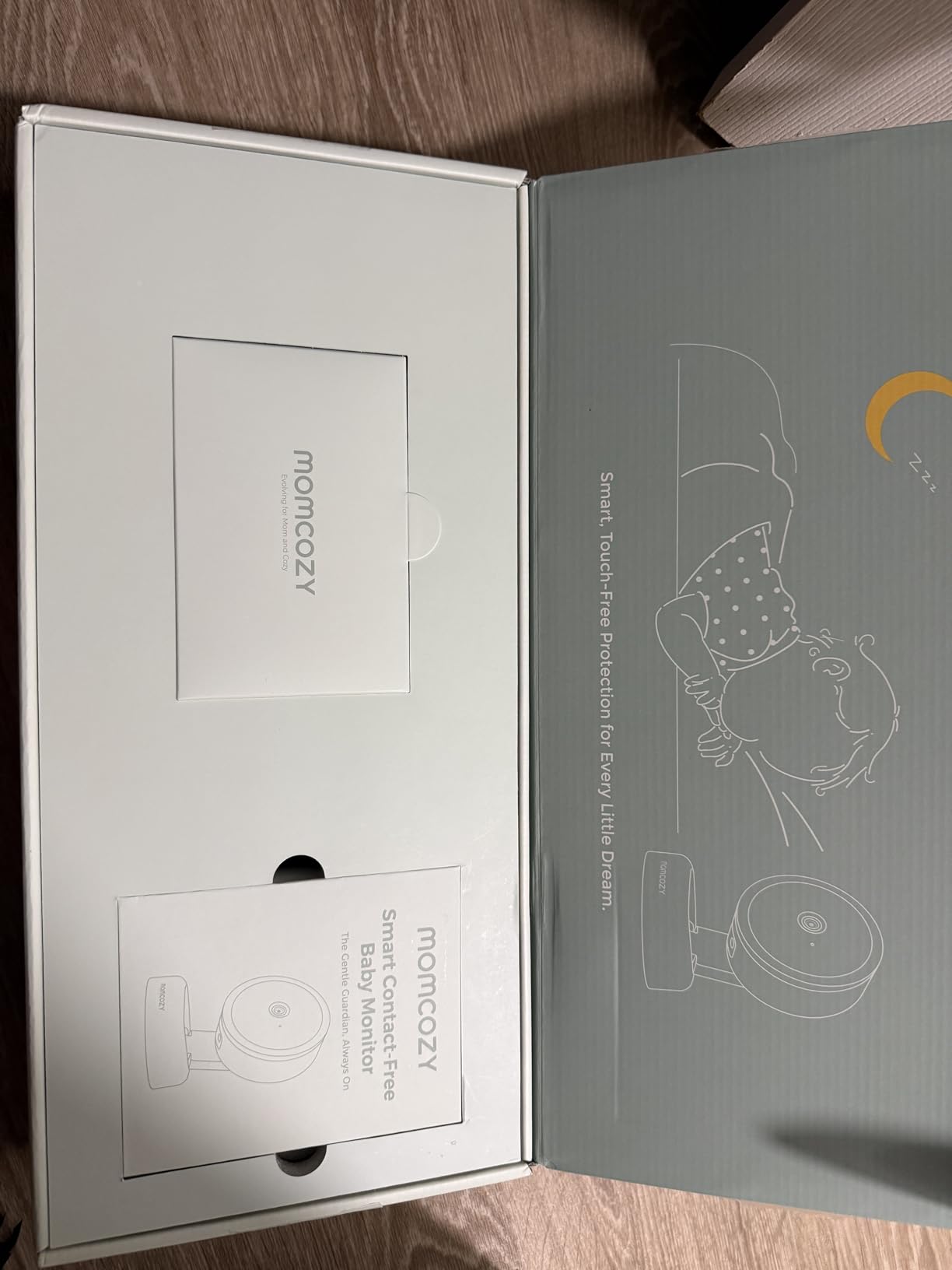
The Momcozy BM08 is the most purely visual product in this roundup, and the manufacturer is unusually clear about what that means. Its own documentation states that it is not a medical device and is not intended for SIDS, apnea or vital-sign monitoring. We are passing that through unchanged, because you should know it before you buy rather than after.
What it does well is image quality and contact-free monitoring. You get 2K HD video with up to 8x digital zoom and 940nm invisible infrared night vision, which is invisible to the eye and does not cast the red glow that wakes some babies. Nothing is worn by the baby, so there is no sock, clip or band to fit.
On the intelligence side it offers sleep activity tracking with summaries and no subscription required, AI true cry detection that filters background noise and can trigger built-in white noise automatically, and a virtual electric safety zone around the crib with real-time motion notifications. Privacy is handled well for a connected device, with 128-bit AES encryption and a physical privacy button that disables the camera instantly.
At 4.2 stars from 322 reviews, the appeal is clear: no subscription for the sleep reports, and no wearable. The virtual safety zone with motion alerts is the closest thing here to a movement signal, and it is worth being honest about its limits, because motion alerts can be triggered by changing light or shadows in an empty room.
The device weighs 6.45 pounds and measures 18 by 8.4 by 3.15 inches, and it became available in April 2026, so the review base is still small. If you want a breathing or movement alarm, this is not the product for that job. If you want the sharpest contact-free video with sleep summaries and no recurring fee, it is a strong pick.
What to check before you buy
Check that you are buying a camera and not a monitor. The BM08 has no movement pad, no clip and no wearable, and its own manufacturer says it is not built to report breathing or vital signs. If a movement alarm is your requirement, look at the pad or clip options instead.
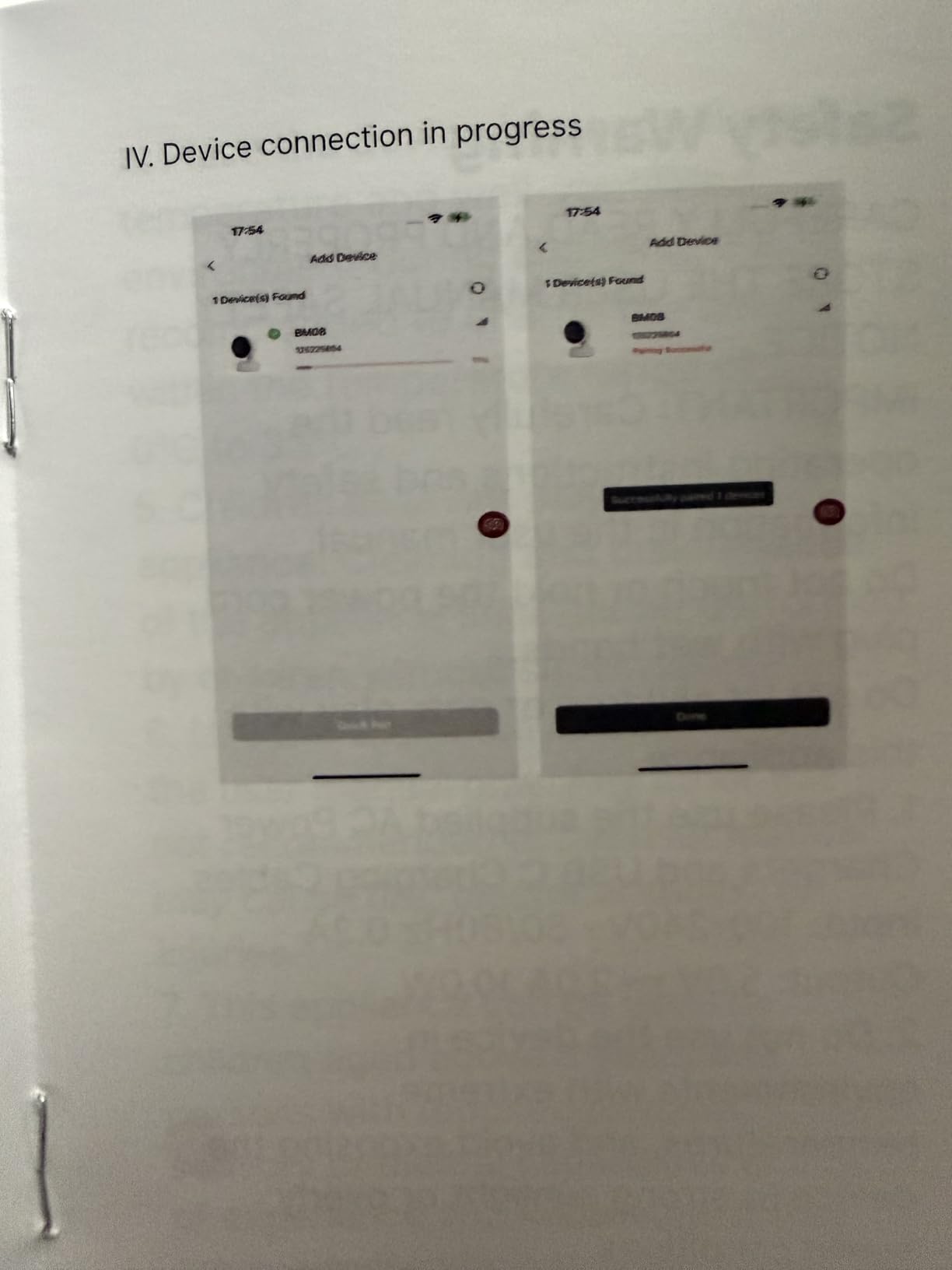
Check your app ecosystem and Wi-Fi. Everything runs through a smartphone app on your home network, so a locked-down or guest WiFi setup will cause friction during setup.
Who should skip it
Skip it if you are anxious about breathing and want a real alarm. Silence in the video is not the same measurement as no movement, and a sleeping baby is silent. This device will not tell you a breathing rate.
Skip it if you need a monitor that works with no phone and no network. Everything here depends on the app, and that is the opposite of the pad-based units on this list.
10. BabySmile Movement Monitor – A Simple Diaper Clip Alarm For Newborn Sleep
BabySmile Baby Movement Monitor for Newborn Sleep, Diaper Clip
Diaper clip motion sensor
About 20-second no-movement alarm
No app or radio
25 g ABS housing
Pros
- Simplest dedicated movement alarm here
- Extremely quick to set up with a plain diaper clip
- Very light at 25 g
- Battery rated for roughly six months of 12-hour days
- No app
- no radio and no cords to disconnect
Cons
- Only reliable when the baby is on their back
- Clip can be wriggled off and one owner saw a two-minute delay once displaced
- Some units failed within months and the battery is not user-replaceable
- No breathing
- heart rate or oxygen metrics
- Small 91-review base limits the long-term record
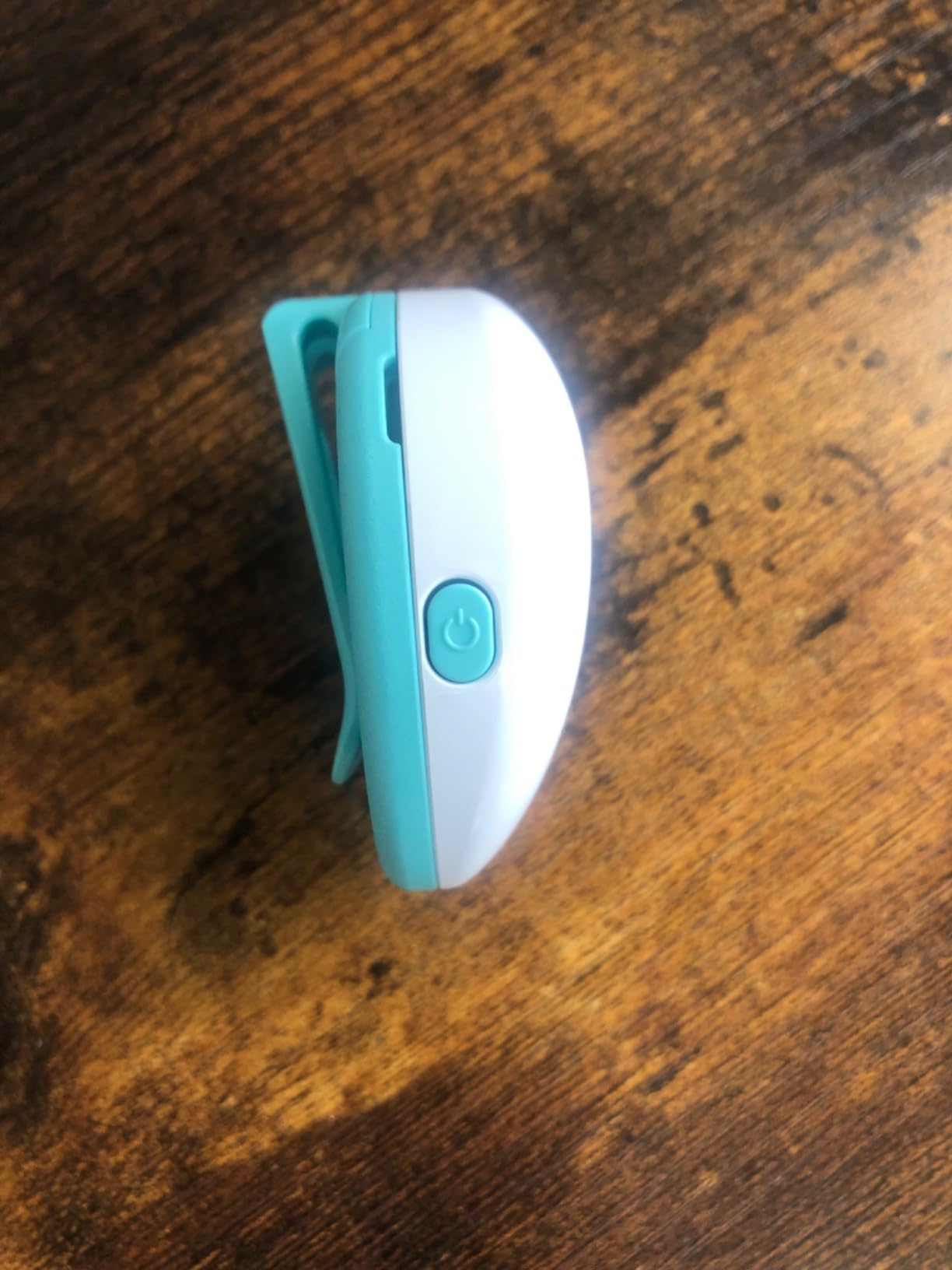
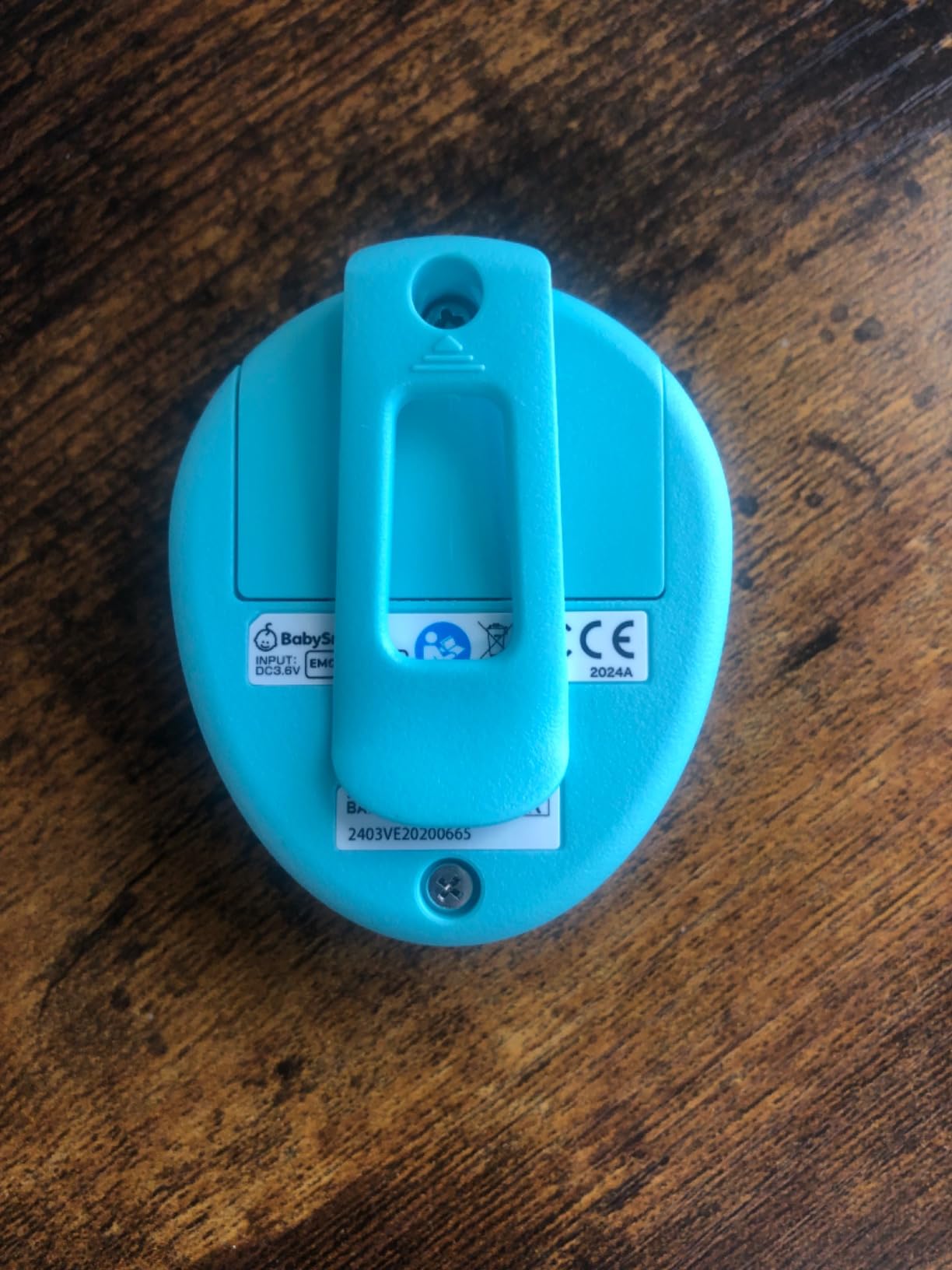
The BabySmile is the simplest dedicated movement alarm here, and simplicity is genuinely its feature. It is a 25 g ABS housing that clips to the nappy, detects subtle abdominal movement and sounds an alarm after about 20 seconds of no movement. There is no app, no radio frequency, no cord and nothing to configure.
Battery life is the specification that stands out. It is rated at approximately 2,200 hours, which works out to roughly 12 hours a day for six months. Because there is no wireless connection at all, nothing can disconnect overnight, and owners who have used it with premature babies describe it as a real source of calm in the first fragile weeks.
It is also the smallest and lightest monitor in this roundup, measuring 1.85 by 0.98 by 2.17 inches, which means a newborn barely registers the weight. It comes with a 1 year warranty.
At 4.1 stars across 91 reviews, this is the thinnest evidence base here, and that matters for a safety-adjacent device. The complaints are specific: the monitor works reliably only when the baby is on their back, so side sleeping produces false alarms; the baby can wriggle the clip off; and one owner found that once the clip was displaced, the alarm took over two minutes to trigger.
There is also a durability concern worth weighing. Some units stopped working within a few months, and the battery is not user-replaceable, which means a failure ends the product’s life rather than costing you a small part. We would not deploy this as the sole alarm for a medically flagged baby.
What to check before you buy
Check the baby’s position habits. If your newborn already spends time on their side, a back-only monitor will generate repeated false alarms, and you will stop trusting it within days.
Check what happens if the battery dies. Because it is not user-replaceable, treat the working life as the product’s life and keep that in mind when you compare it against a model with a replaceable cell.
Who should skip it
Skip it if reliability over years matters more than simplicity today. A 91-review base and reported early failures are not enough evidence for a device you are relying on for reassurance through the whole first year.
Skip it if your baby is premature or medically flagged. In that situation, talk to your pediatric team about what monitoring is appropriate, because a consumer clip is not a substitute for clinician-arranged care.
Do Movement Monitors Prevent SIDS? What the Evidence Says
No. There is no good evidence that any consumer movement monitor, smart sock or breathing camera reduces the risk of sudden infant death syndrome, and The Lullaby Trust does not include consumer heart-rate and oxygen monitors in its CONI programme precisely because the data can raise parental anxiety without changing outcomes.
What actually reduces SIDS risk is boring and consistent. Put the baby on their back for every sleep, on a firm, flat, separate surface, in the same room as you for at least the first six months, with nothing loose in the cot. Keep the room cool, avoid overheating, and do not smoke around the baby or during pregnancy. These measures are the ones with evidence behind them.
A monitor sits on top of that, not instead of it. The useful thing is earlier notification, which gives you a chance to rouse your baby sooner. The dangerous thing is the assumption that because an alarm did not go off, everything is fine, or that a device has made a risky sleep setup safe. It has not.
Two further limits are worth stating clearly. Co-sleeping, car seats and prams all defeat movement monitoring: the sensing position is wrong, the surface is wrong, or the movement itself is different, and a clip-on monitor can even be buried under an adult. In a car seat or pram, a movement alarm gives false reassurance rather than real protection.
How to Choose a Movement Monitor: Sensor Type, Certification and Alert Delivery
Three questions decide which of these ten you should buy: what the sensor actually measures, where the alarm will reach you, and what the manufacturer claims it is certified to be.
Start with sensor type. An under-mattress pad, like the Babysense units, senses movement through the mattress and is immune to a baby wriggling free, but it needs a hard base, it cannot be moved, and it is blind to breathing rate. A nappy clip, like the Snuza Hero or the Levana Oma Sense, is portable and set up in seconds but shifts position and only reports stillness. A smart sock, like the Owlet Dream Sock, is the only true vitals option and the only one designed for a defined healthy-infant range. A camera, like the Lollipop or the Nanit, requires nothing on the baby but reports sleep and cry events rather than respiration unless you pay for the breathing feature.
Second, alert delivery. This is the detail that decides whether a device is useful in your house. On-baby alerts, which covers both clip-on models here, are only useful if you sleep within earshot. Base station and app alerts, which the Owlet range provides, carry across a room and across a floor. If your nursery is more than one room away from where you sleep, weight the products with app or base station alerts far more heavily, and consider pairing a clip or pad with a sound monitor.
Third, certification, and read the language precisely. FDA-cleared, CE marked and UKCA marked are not interchangeable with a manufacturer’s own reassurance. Owlet describes the Dream Sock as FDA-cleared and uses medical-grade pulse oximetry. Snuza states its Hero is not a medical device. Momcozy states the BM08 is not a medical device and is not intended for SIDS, apnea or vital-sign monitoring. None of those statements is a criticism; they are simply the terms you are buying under, and you should know which one applies before you pay.
Finally, budget for running costs, not sticker price. A camera-based option may look like one purchase and then add a subscription for breathing or sleep history after the trial. A sock needs spare socks as the baby grows. A pad unit needs alkaline batteries and possibly two sensor supports. Two years of ownership is the number that matters, and only one of these ten requires no recurring fee and no consumables at all.
How to Reduce False Alarms on a Movement Monitor
False alarms are the loudest complaint in parent forums about this category, and alarm fatigue is a real risk: a monitor you learn to ignore has negative value. Seven steps fix most of it.
Position before you power on. For a pad monitor, confirm the pads sit centred under the mattress area where your baby actually sleeps, on the hard supports, with the mattress flat and firm.
Match the device to the sleep surface. Memory foam mattresses are excluded by the Babysense range. A Moses basket or travel cot needs confirming before you rely on the monitor.
Kill moving air. Owners repeatedly report ceiling fans and air conditioning triggering the sensitive pads. Turn them off in the nursery overnight and recalibrate if the alarms continue.
Re-seat clip devices every morning. A nappy clip that has rotated loses its reference point. Check it is still on the front of the waistband rather than the side before the first nap.
Set sensitivity to match the baby, not the manual. Start one level less sensitive than you think you need, then tighten only if you genuinely miss events. Over-tightening is what creates the constant beeping that drives people to ignore the alarm.
Switch it off before you lift baby out. This is the single most reported false alarm in the category. Lifting your baby for a nappy change registers as no movement, and the alarm is behaving correctly when it fires.
Run a test alarm weekly. Trigger the unit manually and walk to it. If you cannot hear or see the alert from where you sleep, you have found the real problem, and it is a range or delivery problem rather than a sensitivity problem.
If alarms are still frequent after a fortnight of correct setup, the device is telling you something real: the sensor position does not suit your baby’s posture or your sleep space. Swapping to a different sensor type is usually a better answer than endlessly recalibrating.
What to Do When a Movement Monitor Alarm Goes Off
Work through this in order, calmly, and only escalate if the baby does not respond. Most alarms are false positives, so the goal is a quick correct check rather than a panic response.
Go to the cot now. Do not stand at the door watching the screen. Pick the baby up and bring them to a safe surface with good light.
Look for chest rise. Watch the chest and abdomen for two full breaths. Newborn sleep can look very still, and breathing can be irregular and shallow in normal sleep, so look for the pause between breaths rather than judging the rate.
Rouse gently. Stroke the sole of the foot, rub the back, or tap the shoulder. A baby who is simply deeply asleep will respond without any intervention.
Check colour and response. Look at the lips and tongue for blue, grey or very pale colour, and check that the baby responds to you. Normal colour and a response to your touch is a reassuring sign.
Reset the sensor before returning them. Re-seat the clip or confirm the pad is still positioned correctly, switch the unit off, put the baby back on their back in a clear, firm, flat cot, and turn the alarm back on.
Escalate if there is any doubt. If the baby is not breathing, is blue or grey, is unresponsive, is struggling to breathe, or has any episode that does not resolve within a minute, call your local emergency number immediately. Do not wait for the monitor to give you permission.
One more thing that helps more parents expect it. Newborns curl onto their side in their sleep, the newborn scrunch, which on a camera can look exactly like a dangerous roll onto the face. It is usually normal positioning, and it resolves when the baby is placed on their back again. If you find your baby curled on their side, reposition them and reset the monitor.
Frequently Asked Questions
Which baby monitor has the best movement sensor?
Among the models here, the Owlet Dream Sock is the most capable sensor because it uses pulse oximetry to read pulse rate and blood oxygen, not movement alone. If you want a non-contact movement alarm with nothing worn by your baby, the Babysense True Sleep HD bundle and the Babysense 7 use two under-mattress sensor pads, and the Babysense 7 has the fewest reported false alarms.
Which baby monitor has the best breathing sensor?
The Owlet Dream Sock leads on breathing-related data because it reports pulse rate and blood oxygen levels through a fabric sock. Among contactless options, the Lollipop camera offers AI-based respiratory rate and sleeping position history, but that feature sits behind a paid in-app plan after a 7-day trial. Under-mattress pads such as the Babysense models detect chest and tummy movement only.
What is better, Snuza or Owlet?
They answer different questions. The Snuza Hero is a simple diaper-clip monitor that vibrates after 15 seconds of no movement and then alarms, needs no app or WiFi, runs up to 6 months on a replaceable battery and travels well. The Owlet Dream Sock reads pulse rate and blood oxygen, alerts to a base station and your phone, needs charging nightly and is designed for healthy infants aged 1 to 18 months.
Why are pediatricians against Owlet?
The concern is usually about data rather than safety. Consumer wearables can produce readings that fall outside a set zone, which sends parents to the cot when nothing is wrong, and some doctors believe that pattern increases anxiety instead of reducing it. The Lullaby Trust also excludes consumer heart-rate and oxygen monitors from its CONI programme for the same reason. The Dream Sock is intended for healthy infants, not for babies with diagnosed heart or breathing conditions.
Do movement monitors prevent SIDS?
No. There is no good evidence that any consumer movement monitor or smart sock reduces the risk of sudden infant death syndrome, and The Lullaby Trust does not endorse them for that purpose. What reduces SIDS risk is safer sleep practice: baby on their back, on a firm flat separate surface, in your room, with nothing loose in the cot. A monitor gives you earlier notice of irregular breathing, which is useful but is not the same as protection.
How do I stop my baby monitor going off constantly?
Almost all constant alarming comes from setup rather than a faulty unit. Centre the under-mattress pads under the spot where your baby actually sleeps, confirm the mattress is firm and not memory foam, switch off any ceiling fan or air conditioning that is triggering the sensitive sensors, and re-seat a nappy clip on the front of the waistband every morning. Most importantly, switch the monitor off before you lift your baby out of the cot.
When should I stop using a baby breathing monitor?
Stop when the risk period passes and the monitor is no longer suited to how your baby sleeps. The Owlet Dream Sock is designed for healthy infants from 1 to 18 months, the Levana Oma Sense is built for 0 to 6 months, and clip-on monitors lose accuracy as soon as a baby rolls and scoots. Most families find the first six months to be the useful window, and after that the value depends on whether your baby is still sleeping in a fixed position.
Can I use a movement monitor while co-sleeping?
No. Manufacturers state this directly. The Snuza Hero is explicitly not suitable for co-sleeping or bed-sharing, and a clip or pad gives misleading results in a bed-share because the sensing position is no longer representative. Movement monitors also cannot be relied on in a car seat or a pram, where they can give false reassurance. Safer sleep guidance places the baby on their own firm, flat, separate surface in your room.
The Verdict: Which Movement Monitor Should You Buy?
The best movement monitoring baby monitors for newborns fall into two honest categories, and pretending otherwise is how parents end up disappointed. The first group measures something real about your baby. The second group measures sleep and crying, and we have labelled which is which throughout.
For most families, the Babysense True Sleep HD bundle is the pick we would make. Two non-contact under-mattress pads mean nothing is worn by the baby, the sensor cannot be wriggled off mid-night, and a 5-inch HD camera with two-way audio, night vision and a night light sits alongside it in one package with no WiFi to fail.
If you sleep a floor away, the alert path matters more than anything else on the list, and the Owlet Dream Sock is the only product here that sends notifications to a base station and your phone while also reporting pulse rate and blood oxygen. Add the Dream Duo 3 if you want the 2K camera in the same app. If you travel or split nights between homes, the Snuza Hero is faster to deploy than anything else. And if you want movement detection with no recurring fee and no consumables beyond batteries, the Babysense 7 is the strongest-reviewed option in the roundup.
Whichever you choose, place the baby on their back on a firm flat separate surface every sleep, and treat the monitor as an early-warning tool rather than as protection.